
DASH / MPD
How to Test an MPD Manifest Online
A focused guide for MPEG-DASH manifests, MPD playback checks and browser-side limitations.
Last updated: 2026-06-03
An MPD manifest is the playlist-like document used by MPEG-DASH streaming. It describes periods, adaptations, representations, codecs and segment information. To test it in a browser, you need the MPD and its referenced segments to be reachable, compatible and authorized for browser playback.
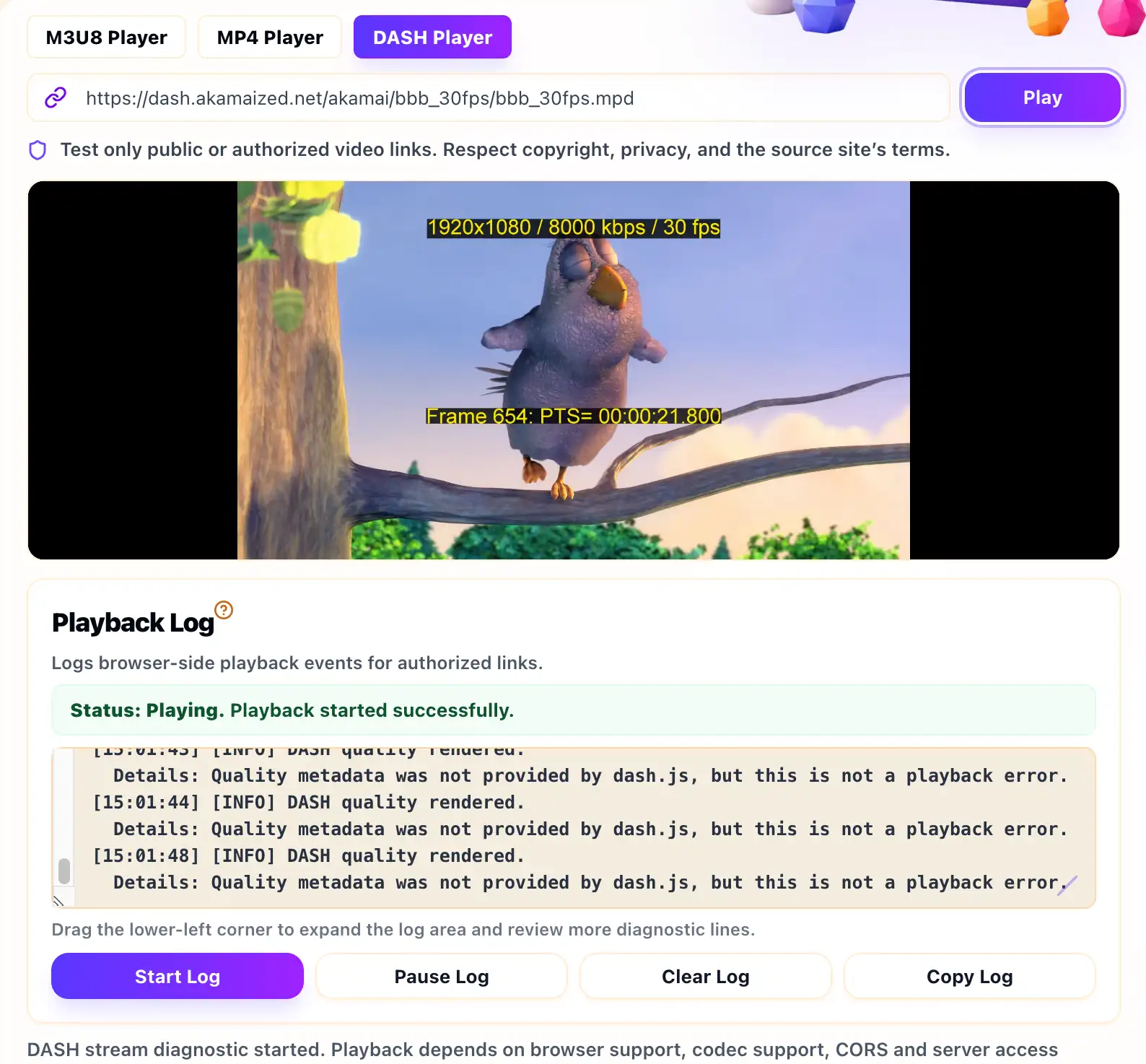
Use the MPEG-DASH Player when you want to test a public or authorized MPD URL. A browser test is useful because it reflects the environment where a web player actually runs, including CORS, MediaSource support and browser codec limits.
Start With the Correct MPD URL
Paste the direct MPD manifest URL, not a webpage that contains a video
player. The URL often ends in .mpd, but the extension alone is
not enough. The response should be a valid MPEG-DASH manifest rather than
HTML, JSON, a login page or an expired token error.
If you operate the stream, check that the manifest is reachable from the browser and that any relative segment URLs resolve correctly. If the source uses redirects, make sure the final destination is also accessible from the browser player.
Review Manifest and Segment Access
DASH playback does not stop at the MPD file. The player must also request initialization segments and media segments. If the manifest loads but playback never starts, inspect the segment requests. A missing segment, blocked response or invalid URL can prevent playback even when the MPD itself appears fine.
CORS matters here too. The browser may need cross-origin permission for the MPD and all referenced segment files. If the stream is private, the correct fix is to use the authorized player flow or configure your own source server, not to bypass access controls.
Check Codec and DRM Requirements
MPEG-DASH is often used for adaptive streaming and can be paired with DRM. A plain MPD test page can test ordinary browser playback, but it cannot replace a protected license flow. If the stream requires DRM, the browser needs the right player integration, license server request and user authorization.
If the stream is not DRM-protected but still fails, check codec support, manifest validity, segment paths, HTTPS consistency and server response behavior. Browser support may vary across devices, especially for less common codec combinations.
Use the Playback Log With Server Evidence
The Playback Log can help identify whether the browser failed while loading the manifest, requesting segments or starting media playback. Treat those events as clues. For deeper diagnosis, compare them with your CDN, storage or origin server logs.
If your content uses HLS instead of DASH, use the M3U8 Player Online and read how to test an M3U8 stream online. If you are testing a single MP4 file, use the MP4 Player Online instead.
Example MPD Checks
A basic MPD test should confirm that the manifest loads, segment URLs resolve and the browser supports the declared codecs. If the MPD references relative paths, test the final resolved segment URLs as well.
[INFO] Loading DASH manifest
[INFO] Manifest parsed
[WARNING] Segment request blocked or unavailable
[ERROR] Browser could not start DASH playback
When this happens, inspect the segment request rather than only the MPD request. Many DASH failures happen after the manifest is already parsed.
DASH Test Checklist
- Use the direct MPD manifest URL, not a webpage URL.
- Check initialization segment and media segment access.
- Review codec declarations and browser support.
- Confirm whether DRM or license server authorization is required.
- Compare Playback Log events with CDN or origin logs.
Related Guides
How to Test an M3U8 Stream Online
A practical first test for HLS playlists, browser playback, Playback Log clues and access limits.
M3U8, MP4 and DASH Browser Support
A practical browser comparison for HLS/M3U8, MP4 and MPEG-DASH playback tests.
What Is an M3U8 File?
A plain-English explanation of M3U8 playlists, HLS segments, variants and safe testing boundaries.